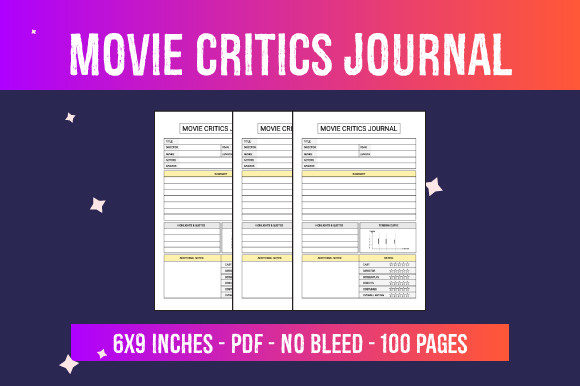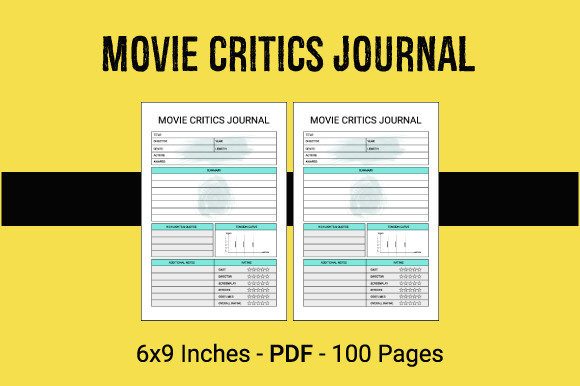
KDP Interior - Movie Critics Journal: A Practical Guide to Ready-to-Use PDF Files
Creating a successful low-content book on Amazon Kindle Direct Publishing often comes down to the quality and specificity of the interior. For filmmakers, students, bloggers, and cinema enthusiasts, a generic notebook simply does not suffice. This is where a specialized KDP Interior - Movie Critics Journal becomes an essential asset for publishers. Rather than spending dozens of hours designing layouts from scratch, creators can utilize ready-to-use PDF files that provide a professional foundation. These pre-formatted interiors allow you to focus on what truly drives sales: niche research, keyword optimization, and cover design.
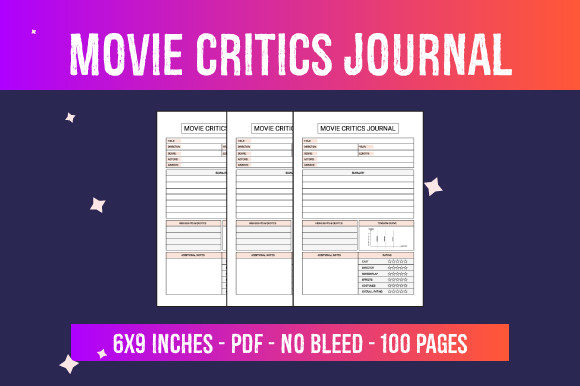
The appeal of this specific digital file lies in its immediate usability. It includes 100 pages of structured content tailored for film analysis, formatted specifically for the 6″ x 9″ trim size. However, having a high-quality file is only half the battle. Many publishers encounter frustration not because the product is flawed, but because they misunderstand how to integrate these assets into the KDP workflow. Understanding the technical specifications and common pitfalls ensures that your final product meets reader expectations and passes Amazon’s automated review processes without delay.
Understanding the Technical Specifications
Before uploading any ready-to-use PDF, you must verify that the file settings align perfectly with your KDP project setup. This particular Movie Critics Journal is designed with specific parameters that dictate how you configure your publishing dashboard. The dimensions are fixed at 6″ x 9″ inches, which is the industry standard for trade paperbacks in this genre. Attempting to force this PDF into a different trim size, such as 8.5″ x 11″ or 5″ x 8″, will result in significant formatting errors, stretched text, or rejected files.
A critical detail that frequently causes confusion is the bleed setting. This interior is categorized as No Bleed. In KDP terminology, this means all text and graphical elements are contained safely within the margins, with no images extending to the very edge of the page. When setting up your book details, you must select "No Bleed" in the printing options. Selecting "Bleed" for a no-bleed PDF will alter the required file dimensions and likely cause the upload to fail or print incorrectly. Always double-check this toggle before proceeding to the previewer.
Evaluating Content Relevance Over Page Count
A common mistake among new KDP entrepreneurs is assuming that more pages automatically equal higher value. While this journal contains 100 pages, the true value lies in the utility of those pages for the target audience. A movie critic or film student needs specific prompts, rating systems, and space for technical notes, not just blank lines. Before listing this product, review the interior pages to ensure they match the search intent of your chosen keywords.
If your marketing targets professional film reviewers, but the interior is designed for casual viewers who simply want to rate popcorn flicks, you will face negative reviews regarding misleading content. Conversely, if the interior is too academic for a general audience, it may not convert. The best approach is to treat the ready-to-use PDF as a baseline. Verify that the prompts and layout structures genuinely solve a problem for your specific sub-niche. If necessary, consider using this file as a master template and modifying it slightly to better fit a micro-niche, rather than publishing it exactly as-is in an oversaturated category.
Avoiding Common Upload and Formatting Errors
Even with a high-resolution PDF, technical oversights can derail a launch. One frequent issue involves margin safety zones. Although this file is designed as no-bleed, KDP still requires minimum margins based on page count. With 100 pages, the gutter margin (the inner binding side) must be sufficient to prevent text from disappearing into the spine. While professional ready-to-use files typically account for this, it is your responsibility as the publisher to verify it in the online previewer.
Another overlooked detail is font legibility and contrast. High-resolution PDFs look crisp on a computer monitor, but print-on-demand technology has physical limitations. Ensure that any gray tones or subtle design elements in the journal remain readable when printed in black and white standard ink. Sometimes, what looks like a stylish light gray header on screen prints as a muddy smudge on paper. Always order a physical proof copy before launching. This step is non-negotiable for maintaining quality standards and avoiding customer returns due to poor print clarity.
The Importance of Cover Compatibility
The instruction to "just add a cover and publish" is accurate regarding the interior file, but it can lead to complacency regarding the exterior. Your cover must visually communicate the same promise as the interior. A common error is pairing a sophisticated, structured Movie Critics Journal interior with a generic, AI-generated cover that looks like a diary or a sketchbook. This disconnect creates cognitive dissonance for buyers browsing Amazon.
Your cover design should reflect the 6″ x 9″ dimensions and the analytical nature of the content. Use typography and imagery that signal "film analysis" rather than "personal journal." Furthermore, ensure your cover PDF accounts for the correct spine width for a 100-page book. Using a spine calculator is mandatory; guessing the spine width will result in the cover wrapping onto the front or back panels, leading to automatic rejection by KDP. The interior and cover are two halves of a single product, and both require equal attention to technical detail.
Strategic Considerations for Market Success
Possessing a ready-to-use file solves the production bottleneck, but it does not guarantee sales. The low-content market has matured, and buyers are increasingly discerning. To maximize the potential of this KDP Interior - Movie Critics Journal, you must differentiate your listing beyond the basic file attributes. Consider how you describe the 100 pages in your book description. Do not simply list "100 pages." Instead, explain how those pages facilitate better film criticism. Mention specific features like rating scales, director notes sections, or cinematography tracking fields if they are included.
Additionally, be mindful of licensing and uniqueness. If you purchase a commercial license for this PDF, remember that other publishers may have access to the exact same file. To avoid being flagged as duplicate content or competing directly against identical books, add unique value. This could involve creating a custom introduction, adding a resource list for film students at the beginning or end, or combining this interior with a complementary section you create yourself. Transforming a stock asset into a proprietary product protects your business long-term.
Finally, manage your expectations regarding profitability. A 100-page no-bleed paperback at 6″ x 9″ has a specific printing cost. Calculate your royalties carefully before setting a price. Pricing too low to compete can erode your margins to pennies, while pricing too high without added value will kill conversion rates. Use the KDP royalty calculator to find the sweet spot where the perceived value of a specialized movie journal justifies the price point. By approaching this digital asset with technical precision and strategic foresight, you turn a simple PDF download into a sustainable publishing asset.